

Kitana is now in your AI agent: review, fix, check again
Connect Kitana to Claude, ChatGPT, Cursor or your terminal. Your agent runs the brand review, fixes what Kitana flagged, and asks her to check the new version.
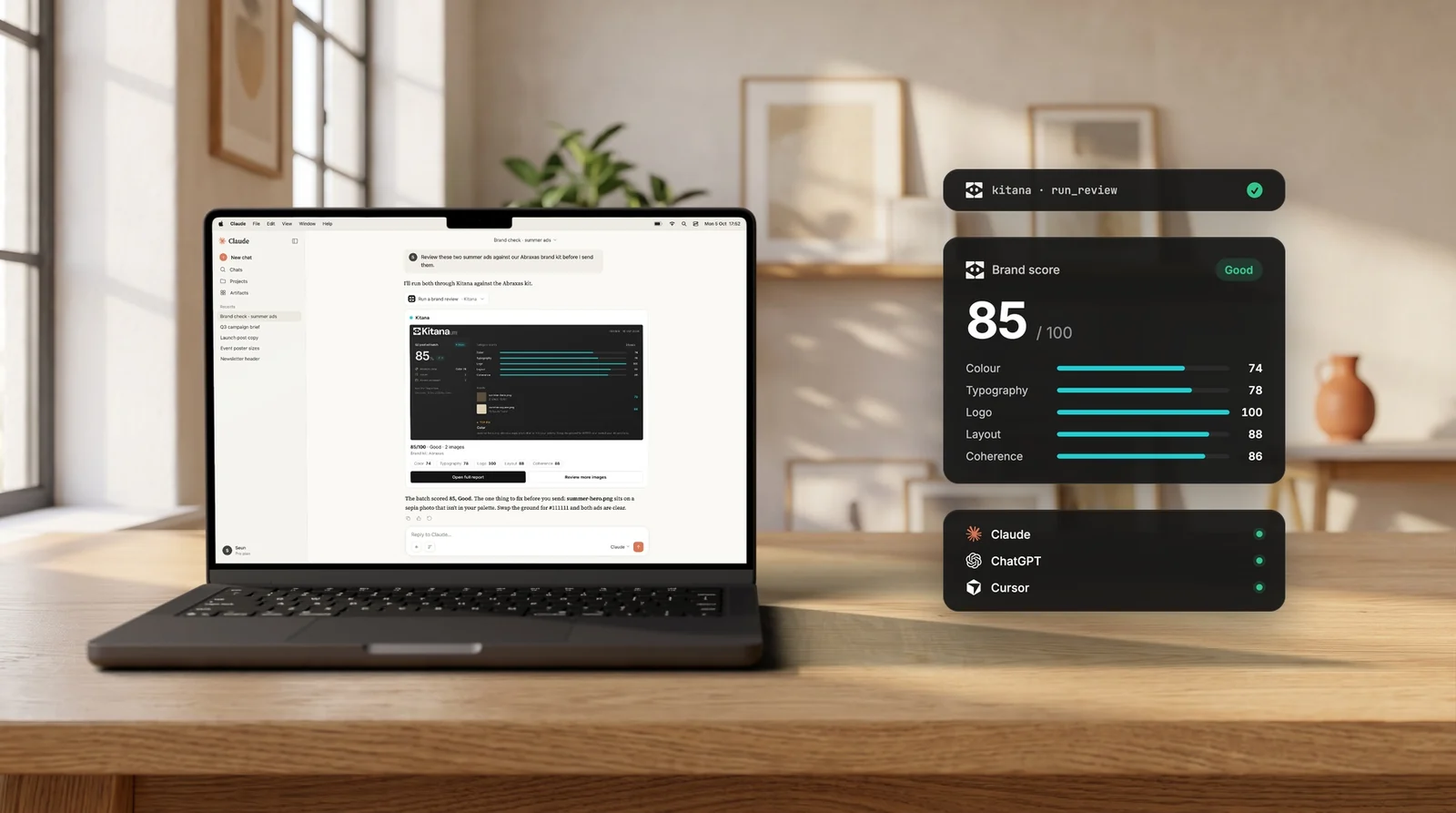
Until today, Kitana told you what was wrong with an asset. Fixing it was still your job.
That is changing, because a lot of creative work now starts in an AI tool. People ask Claude for a launch post, ask Cursor to update a landing page, or ask an agent in the terminal to resize a campaign for five channels. That work needs a brand review like any other work. And if an agent made it, an agent can also fix it.
So we built the Kitana MCP server. Any AI tool that speaks MCP (Claude, ChatGPT, Cursor, your terminal and many more) can now run a Kitana review, read the findings, fix what she flagged and ask her to check the new version.
From diagnosis to fix
Kitana Lite launched as a reviewer. She scores your work against your brand system and tells you exactly where it drifts. That is useful, but a report is a diagnosis. Someone still has to open the file and do the work.
With MCP, the review becomes a loop:
- Review. Your agent sends the asset to Kitana and gets back the score and the findings.
- Fix. The findings are specific enough to act on: an exact hex value, an exact weight, an exact clear-space ratio. The agent makes the changes.
- Check again. The agent sends the new version, and Kitana compares the two reviews. You see what was fixed and what is still open.
This turns Kitana from a tool that diagnoses problems into one that helps fix them. She shows how and why an asset is off-brand, and your agent closes the gap.
What the loop looks like
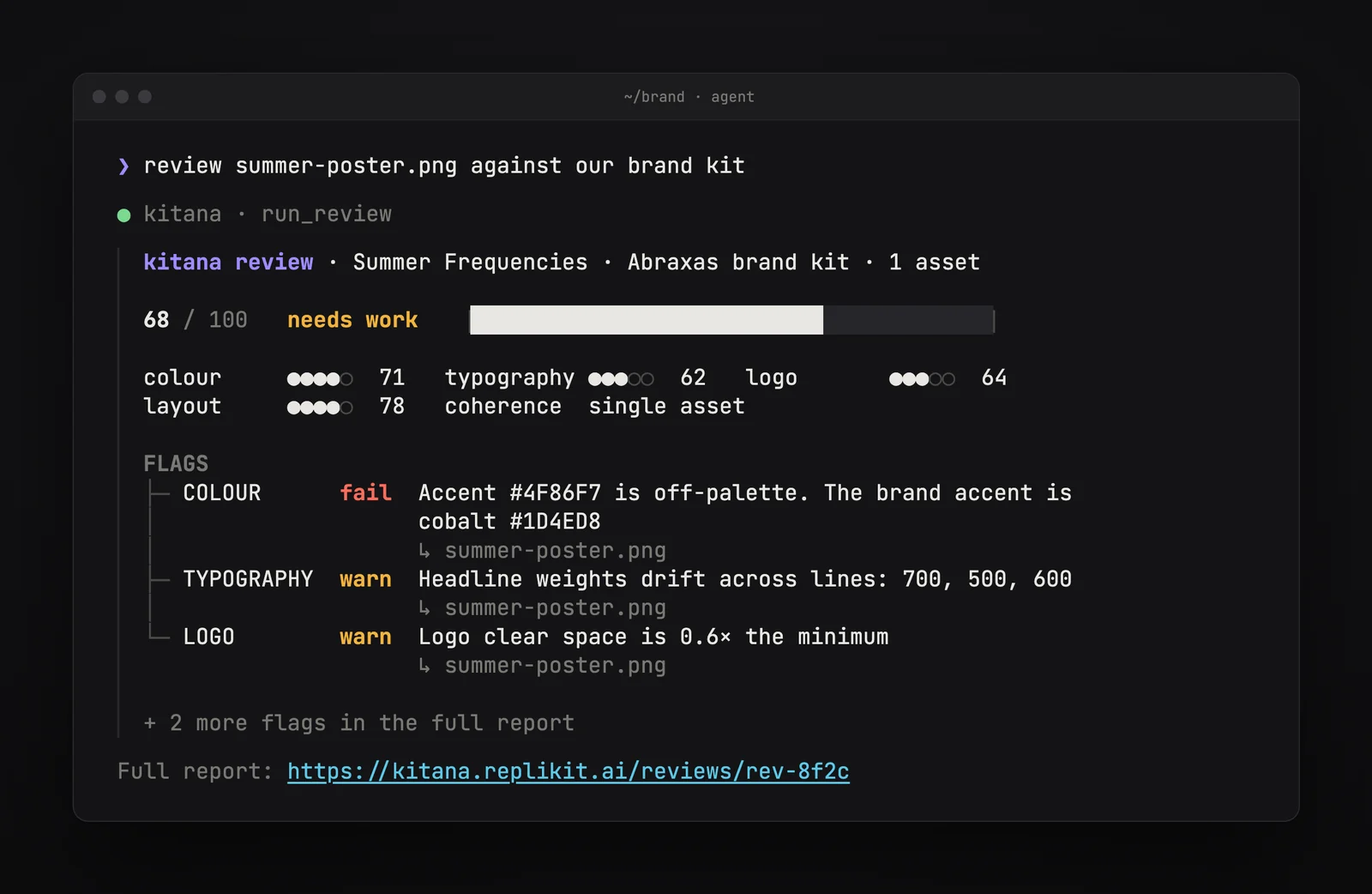
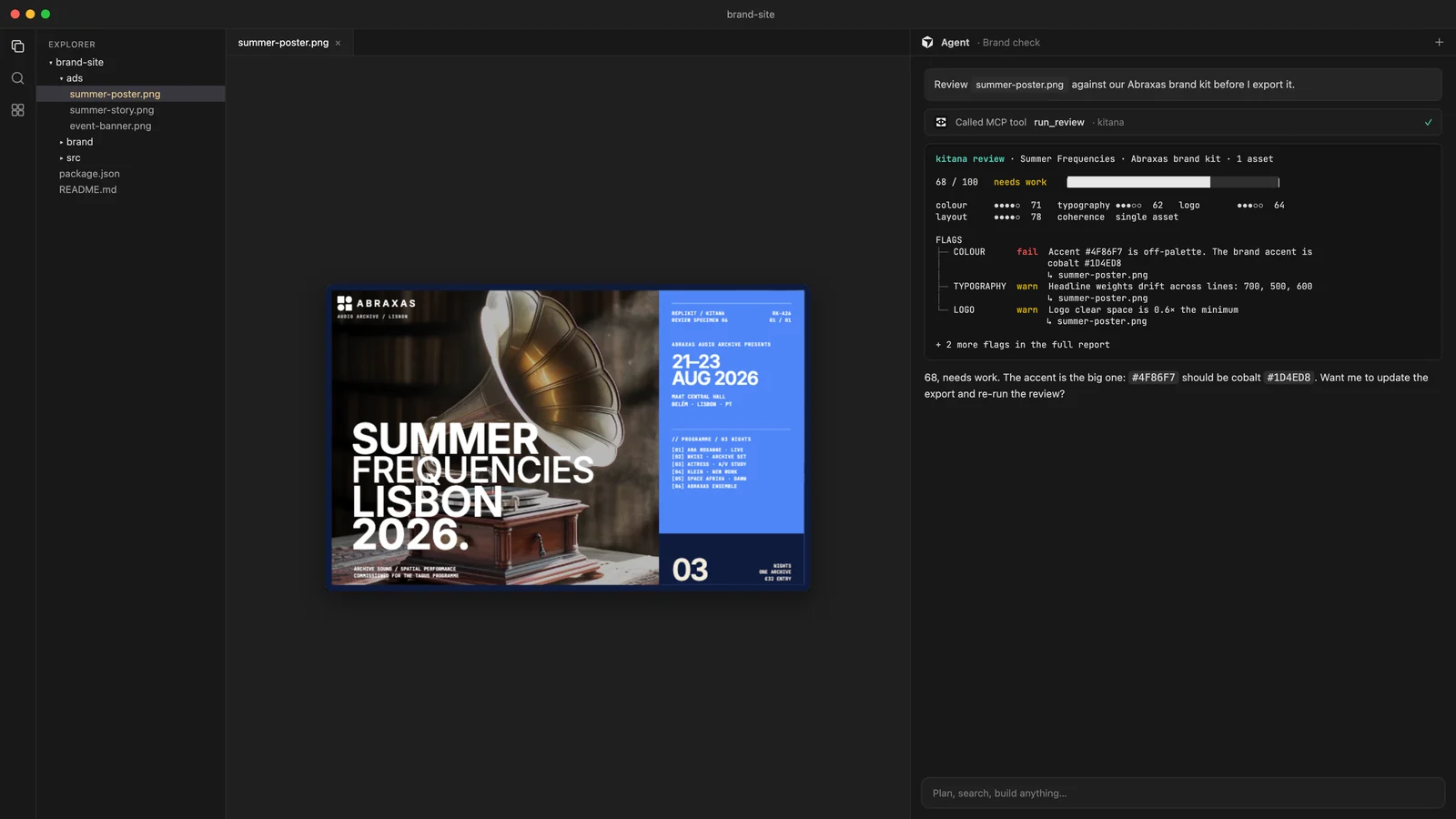
Here is the loop on the Summer Frequencies poster, run from an agent in the terminal.
Review. The first review scores the poster 68, Needs Work. The accent is #4F86F7, but the brand accent is cobalt #1D4ED8. The headline uses three weights across its lines. The logo has 0.6× the minimum clear space.
Fix and check again. The agent updates the poster: the accent goes back to cobalt and the logo gets its full clear space. Then it asks Kitana to compare the two versions. The score goes from 68 to 87, from Needs Work to Good. Colour and logo are marked fixed. The headline weights are still open, and Kitana says so.
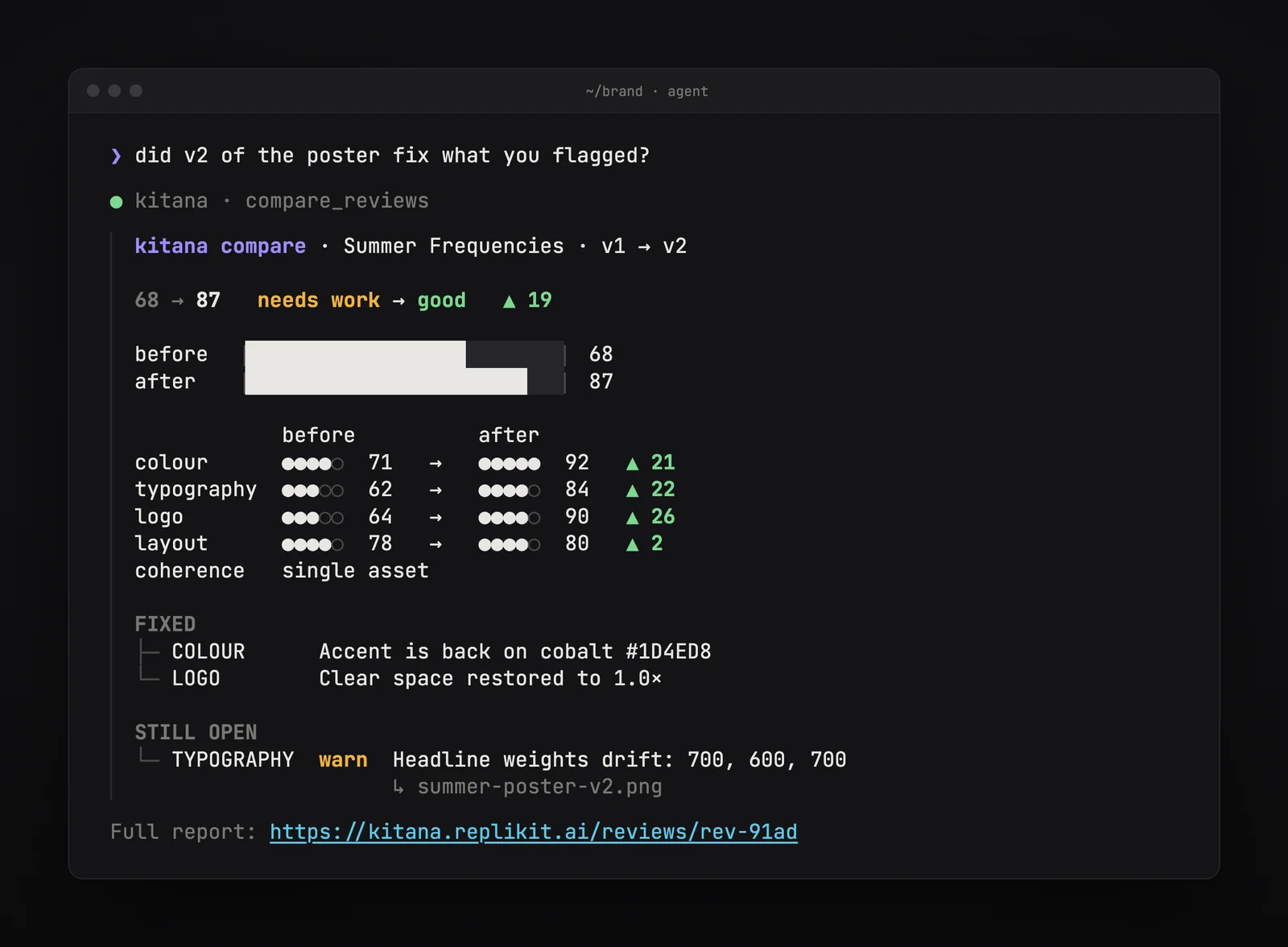
That last part matters. An agent that says "done" is easy to build. A reviewer who checks the agent's work, and tells you plainly what is not done, is the part you can trust.
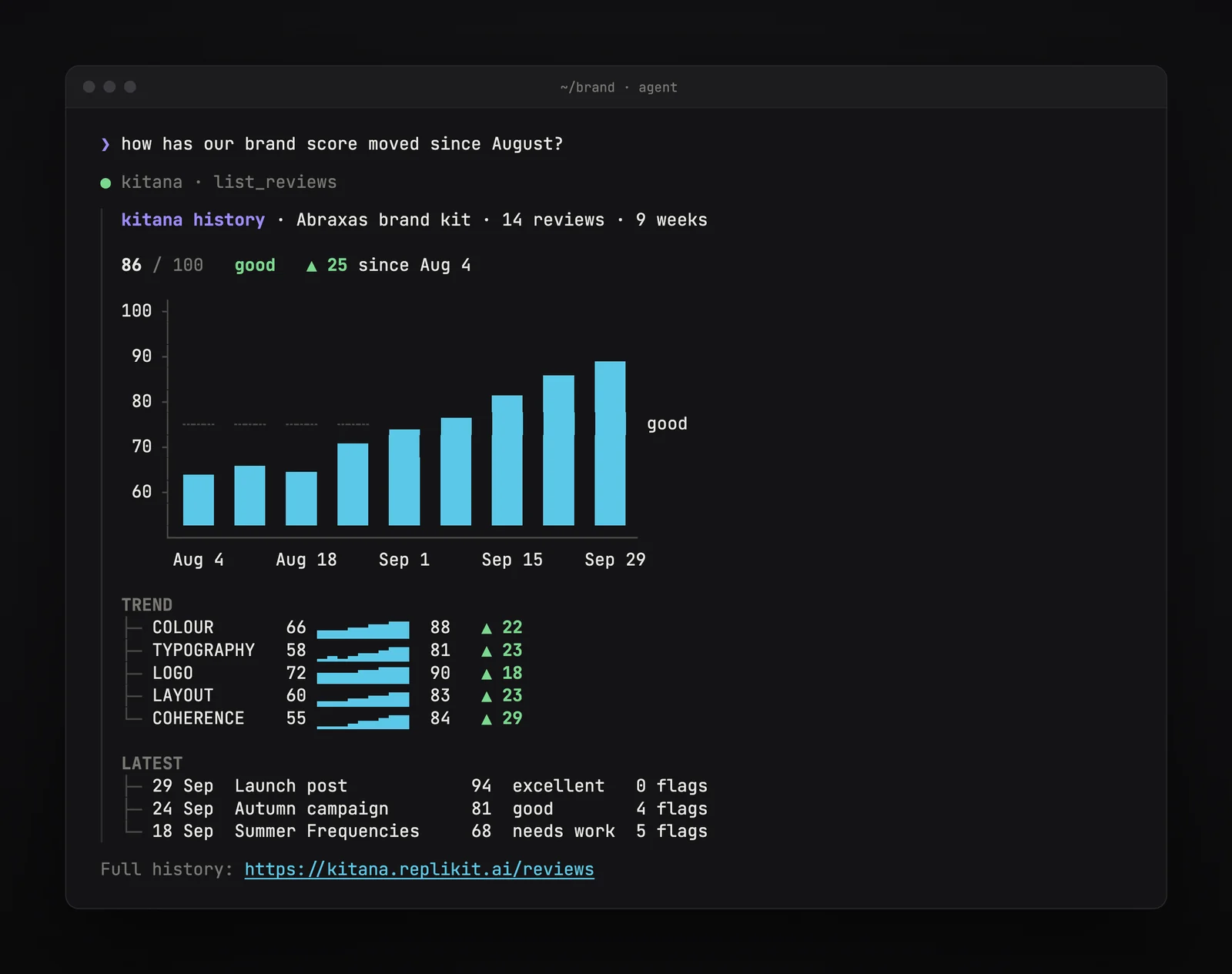
See the trend. Because every review is kept, your agent can also answer questions about your brand over time. Ask how your score has moved since August, and Kitana returns the trend for each category and your latest reviews.
In the tools you already use
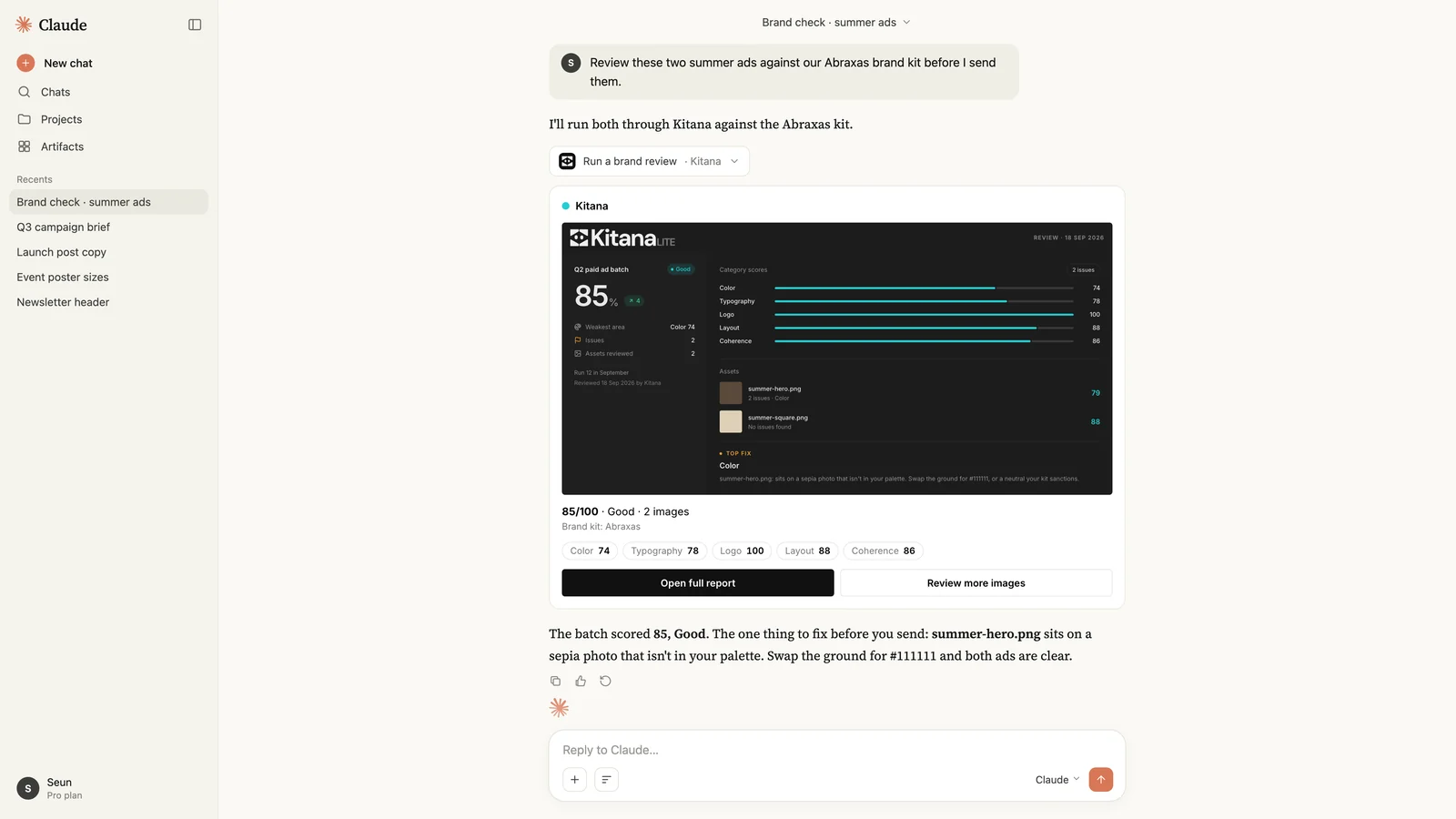
Kitana works the same way in every MCP client. In Claude or ChatGPT, the review comes back as a card with the score, the categories and a link to the full report. In Cursor and the terminal, it comes back as a report formatted for the terminal.
What your agent can do
The server gives your agent six tools:
run_reviewreviews 1 to 10 images against your brand kit and returns the score, the five category scores, the findings and a link to the report.compare_reviewscompares two reviews: the change in each category, and whether the two are comparable.list_reviewslists your workspace's reviews, newest first.get_reviewreturns one review in full.switch_kitlists your brand kits and chooses the one reviews use.prepare_uploadgives the agent upload links for local files, for clients that cannot attach images.
Connect in a minute
The server is at https://mcp.replikit.ai. You sign in with your Kitana account in the browser, and there is nothing else to configure.
- Claude (claude.ai and Desktop): Settings → Connectors → Add custom connector, then paste
https://mcp.replikit.ai. - Claude Code: run
claude mcp add --transport http kitana https://mcp.replikit.ai, then/mcpto sign in. - Cursor: add the server to
~/.cursor/mcp.json:
{ "mcpServers": { "kitana": { "url": "https://mcp.replikit.ai" } } }
- ChatGPT: Settings → Apps & Connectors → turn on developer mode → Create, then add
https://mcp.replikit.aiwith OAuth. - Any other MCP client: add
https://mcp.replikit.aias a remote HTTP server with OAuth.
The full setup guide has an example run and what each tool returns.
Plan and cost
MCP is part of RepliKit Pro ($39.99 a month, 20 reviews). A review from your agent costs one credit, the same as a review on the web, in Slack or in Figma. Every other tool is free, so your agent can compare reviews and read your history as often as it needs.
Connect Kitana to your agent. If you are new to Kitana, start with two free reviews on the web first.