
Get startedFirst review
Run your first review
Run a free brand review on the web, with no account and no card.
Before you start
You need two things:
- A brand source. This is your website address, or your brand guidelines as a PDF or DOCX file.
- The assets you want checked. These are images in PNG, JPG, WEBP, GIF, SVG or HEIC format. In this first step you can add up to 5 files, and each file can be up to 10 MB.
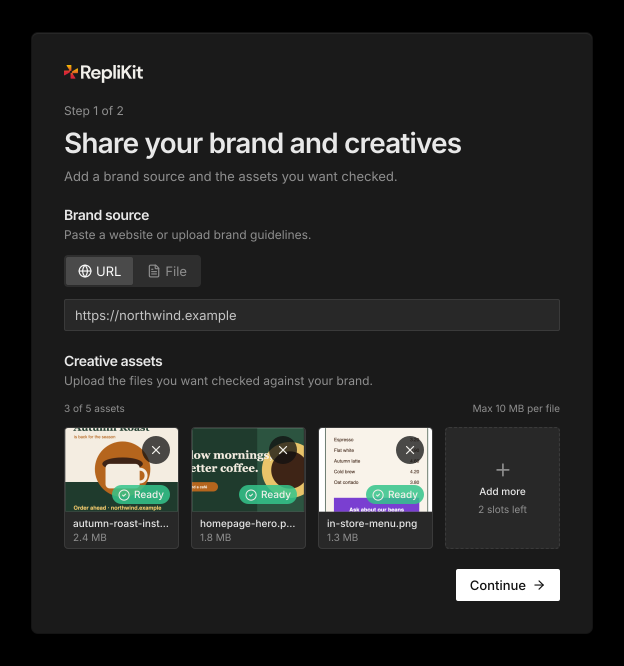
Step 1: Share your brand and your work
- Go to kitana.replikit.ai and select Run a free brand review.
- Under Brand source, choose URL or File.
- For URL, paste your website address, for example
https://yourbrand.com. - For File, select Choose file and pick your PDF or DOCX guidelines.
- For URL, paste your website address, for example
- Under Creative assets, add the images you want checked.
- Select Continue.
When Kitana reads a website, she only sees what is public on the page at that moment. Point her at a site you have the right to use as a reference.
Step 2: Tell Kitana where to send the report
- Enter your Business email, First name and Last name.
- Complete the security check if one appears.
- Select Continue.
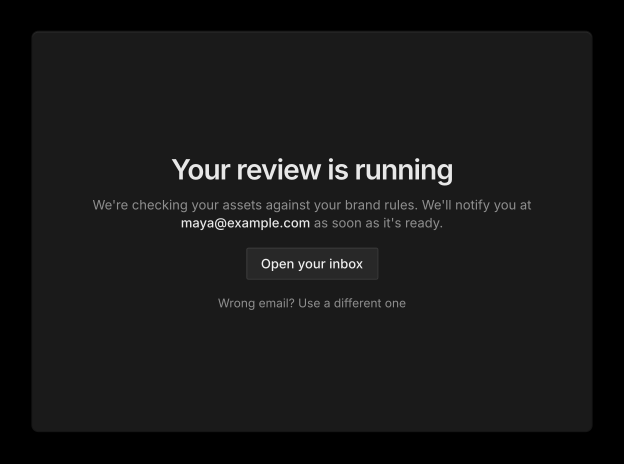
The page now says Your review is running. If you typed the wrong email, select Wrong email? Use a different one.
Step 3: Open your report
The review takes about two minutes. When it is ready, Kitana emails you the report. The email also signs you in.
Open the link in the email. This creates your account, and your brand kit and review are saved to it. The review is counted as one of your two free reviews.
To understand what the report tells you, see Reading a review.
Run your next review
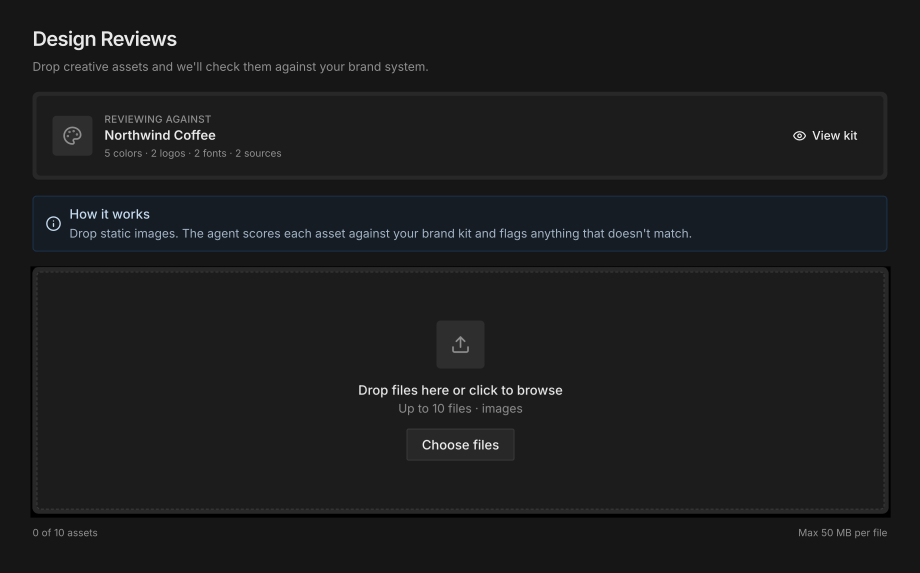
When you are signed in, you review from the web app:
- Select New Review in the sidebar. The Design Reviews page opens.
- Check the kit under Reviewing against. This is your default brand kit. Select View kit to see what it holds.
- Drop your images in. You can add up to 10 files, and each file must be under 50 MB.
- Select Start review.
Kitana shows her progress while she works. When she is done, your brand score opens.
If your brand kit is not ready yet, the page shows Set up my brand system instead. See Brand kits.
If the review does not start
Kitana tells you why and what to do next. For example:
- You're out of credits. Nothing was charged and your files are still on the page. Add credits, then start the review again. See Credits.
- Your credits are already in use. Reviews you started are still running, and each one holds a credit until it finishes. Wait for one to finish, or add credits.
- One of your files is too large. Remove the largest file and try again.