
Kitana on the webReading a review
Reading a review
What the score, the five categories and the findings in a Kitana report mean.
Each review gives you three things: an overall score, a score for each of five categories, and findings for each asset.
The report arrives in your inbox about two minutes after you start the review. It also waits in your review history.
The score
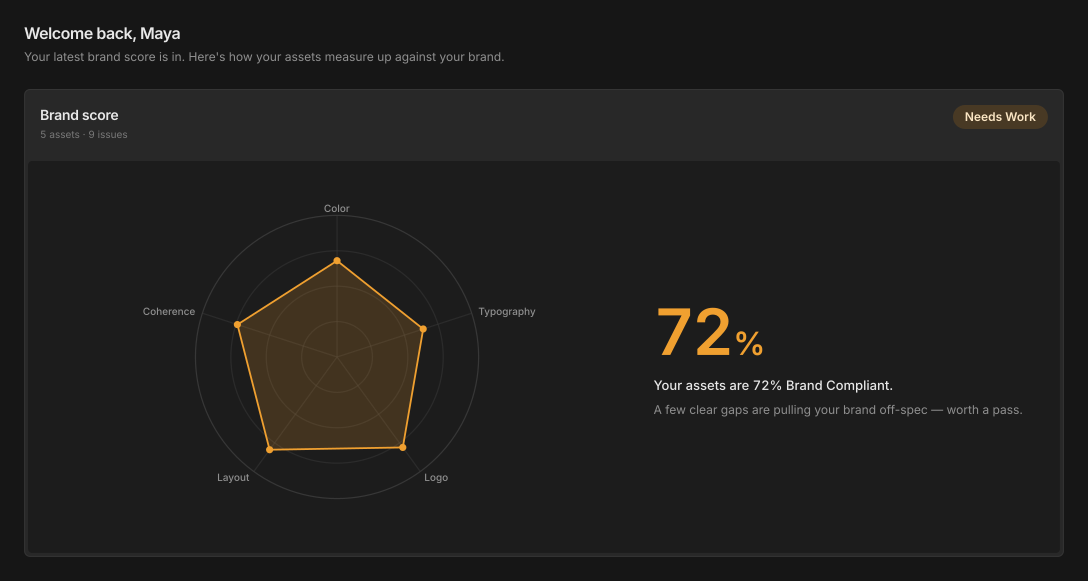
The brand score is a number from 0 to 100. It tells you how much attention the work needs. The header under Brand score shows how many assets Kitana scored and how many issues she found.
Every score falls into one of five bands:
| Band | Score | What it means |
|---|---|---|
| Excellent | 90 to 100 | Your brand is locked in. Assets are consistent and on-spec. |
| Good | 75 to 89 | Solid brand consistency, with a little room to tighten up. |
| Needs Work | 50 to 74 | A few clear gaps are pulling your brand off-spec. Worth a pass. |
| At Risk | 25 to 49 | Your assets are drifting from the brand in several areas. |
| Critical | 0 to 24 | Most assets are off-brand. Time to reset the fundamentals. |
In practice, the lowest score Kitana returns is 30, not 0.
The five categories
The chart beside the score shows the five categories:
- Colour: your palette, contrast, and any values that are off-palette.
- Typography: family, weight, and where each line sits in your type scale.
- Logo: placement, clear space, and whether it is used on the right colours.
- Layout: spacing and grid, against the template the asset came from.
- Coherence: whether a set of assets reads as one campaign.
Kitana checks the first four on each asset. She scores coherence across the whole set. A review of one asset has no coherence score, and the category shows Not applicable: needs 2+ assets. A category that Kitana could not check shows Not assessed.
Findings
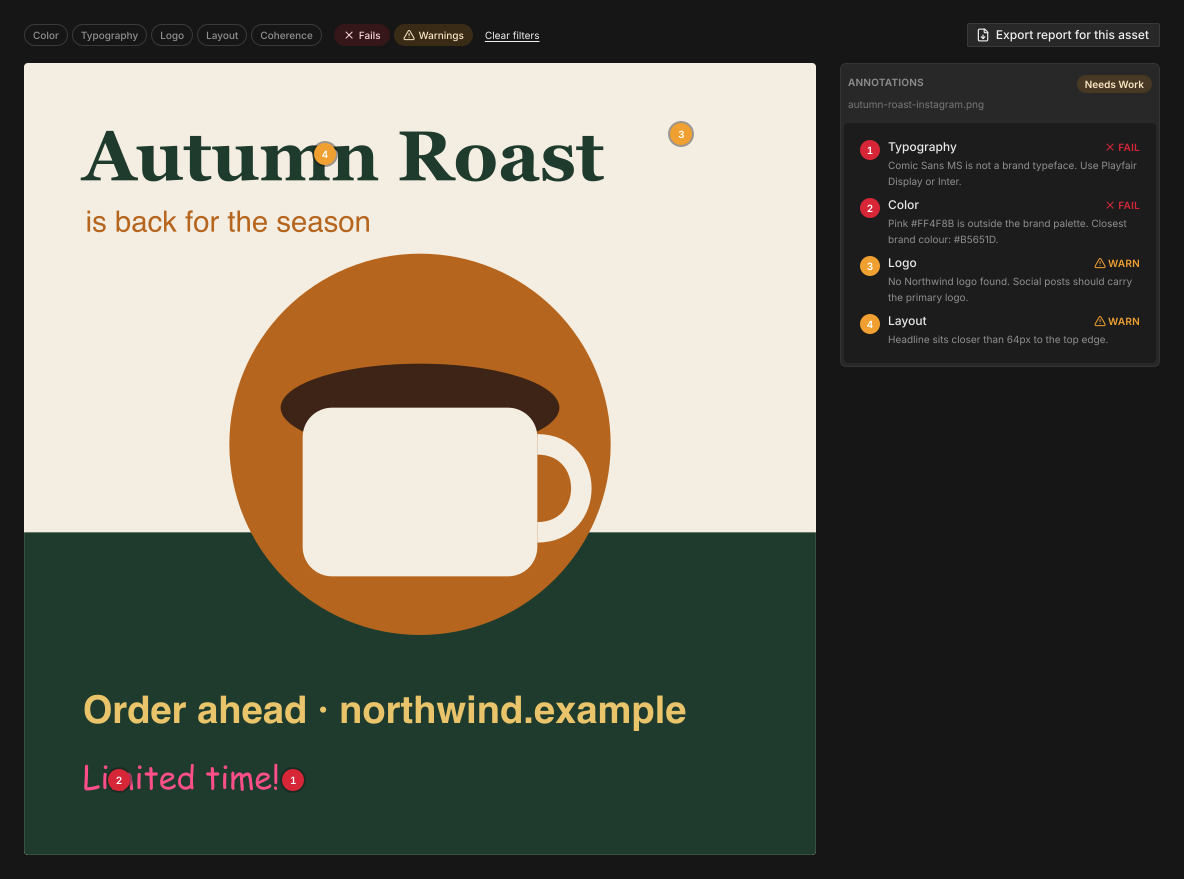
Findings are specific. Each one is pinned to the place on the asset it refers to. For example, Kitana does not say "the colour feels off". She says the accent is #4F86F7 and the brand accent is #1D4ED8.
Each finding is a fail or a warning.
Under the score, you see every asset you sent. To find what you need:
- Type in Search assets to find an asset by name.
- Use the filter to show All assets, only assets With issues, or one category.
- Switch between the list view and the grid view.
Select an asset to open its annotations. There you can filter by category, and by Fails or Warnings. Select Clear filters to see everything again.
Assets Kitana could not review
If Kitana could not review an asset, the header says how many assets she scored out of how many you sent. The assets she skipped are listed under Couldn't be reviewed, each with the reason.
What the score is not
The score is design advice, not legal advice. A clean review means the work matches your brand system. It is not a check for trademark, accessibility or regulatory problems. You remain responsible for those checks.