
Kitana on the webCredits
Credits
What a credit is, what each plan includes, how top-ups work and when credits expire.
What a credit is
One credit pays for one review session. A session holds up to 10 assets.
You spend one credit whether you send one asset or ten, so send the full set when you can. Each image, page, frame, artboard or screen counts as one asset.
There is no extra fee for a channel, and no separate allowance per channel. One credit balance covers every channel.
Free
- 1 brand kit and 2 credits, with no card.
- The 2 credits are a one-time allowance. They do not renew.
- They expire 12 months after you sign up.
- Your first review on the web is one of the two. It is charged when you open the link in the report email and your account is created.
- Reviews in the Figma plugin use the same two credits.
- You get the full report. No part of it is hidden.
When your free reviews run out, nothing is deleted. Your brand kit and every past report stay where they are. To run more reviews, upgrade to RepliKit Pro.
RepliKit Pro
- $39.99 a month.
- 20 credits each month. This is 20 reviews, up to 10 assets each.
- Monthly credits reset each month. They do not roll over.
- One Pro plan covers Kitana Lite and the RepliKit Figma plugin, with one credit balance.
You can cancel at any time. Pro stays on until the end of the paid period, then you go back to Free. See pricing for the full plan.
Top-ups
If you need more reviews in a month, you can buy extra credits.
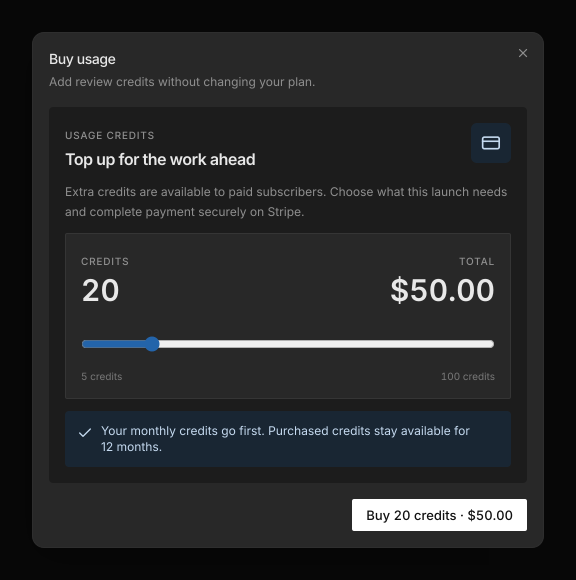
- $2.50 per credit. A 10-credit pack is $25.
- Top-ups need an active Pro plan.
- A top-up credit stays available for 12 months from purchase.
To buy credits:
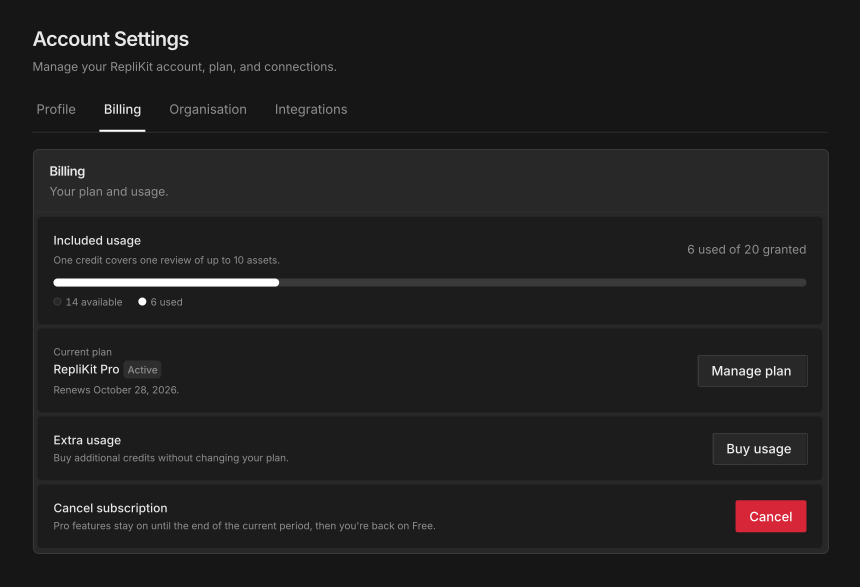
- Open Account with the settings button in the sidebar, then open the Billing tab.
- Select Buy usage.
- Choose how many credit packs you need. The total shows before you pay.
- Select the Buy button, which shows the number of credits and the total. Then complete payment on Stripe.
Which credits are spent first
Your monthly credits go first. Your top-ups keep.
The rule underneath is that the credit closest to expiry is spent first. In practice, this means monthly credits are spent before top-up credits.
Check your balance
Open Account, then the Billing tab. Included usage shows how many credits you have used and how many you have available.
When you run out
If you start a review with no credits left, Kitana refuses it before anything runs. Nothing is charged. On the web, your files stay on the page so you can add credits and start again.
A review that is still running holds a credit until it finishes. If all your credits are held this way, wait for a review to finish, or add credits.